There's More to Data Acquisition Than A/D
by Bob Judd, United Electronic Industries
Over the years, much has been written about
the specifications and usage of analog inputs in data
acquisition (DAQ) systems. However, in most applications, the
analog input is only a piece of the hardware puzzle. Often
overlooked are the key attributes of and specifications for the
other parts of the system: the analog outputs, digital I/O, and
communications interfaces.
Almost all systems require one or more D/A, DIO, and COM interfaces. How they are integrated
into the system often is a critical aspect of overall system
functionality.
Analog Outputs
Analog or D/A outputs are used for a variety
of purposes in DAQ and control systems. To properly match the
D/A device to your application, it is necessary to consider a
variety of specifications.
Number of Channels
Make sure you have enough outputs to get the
job done. If it's possible that your application may be expanded
or modified in the future, you may wish to specify a system with
a few spare outputs. At the very least, be sure you can add
outputs to the system later without major difficulty.
Resolution
As with A/D channels, the resolution of a D/A
output is a key specification. It describes the number or range
of different possible output states the system is capable of
providing. This specification is almost universally provided in
terms of bits where the number of output states is defined as
2(#
of bits). For example, 8-bit resolution corresponds to a
resolution of one part in 28 or 256. Similarly,
16-bit resolution is one part in 216 or 65,536.
When combined with the output range, the
resolution determines how small a change in the output may be
commanded. To determine the size of this change, simply divide
the full-scale range of the output by the number of output
states. A16-bit output with a 0 to 10-V full-scale output
provides 10 V/216 or 152.6-µV resolution. A 12-bit
output with a 4- to 20-mA full scale supplies 16 mA/212
or 3.906-µA resolution.
The standard resolution of most DAQ D/A
output interfaces is 16 bits, and you also will see some devices
with 12-bit resolution. Although it is common now to see analog
inputs with 20-bit or 24-bit resolution, D/A resolutions of
greater than 16 bits are fairly rare in applications where DC
accuracy is important. However, they are common in AC
applications such as in the audio output world.
Accuracy
Accuracy often is equated with resolution,
but they are not the same. An analog output with 1-µV resolution
does not necessarily mean the output is accurate to 1 µV.
Outside of audio outputs, D/A system accuracy typically is on
the order of a few least significant bits (LSBs). However, be
sure to check this specification because all D/A products are
not created equal.
The primary error contributors of a D/A
output are output offset, gain error, reference error, and
nonlinearity, as illustrated in Figure 1. Both gain and
reference are shown on a single graph because both contribute to
an undesired change of slope in the output diagram. Remember
that these errors are additive, and to get the overall system
accuracy, you must account for the contributions from all error
sources.
To view Figure 1
click here.
Figure 1. Most Significant and Common Error Contributors in D/A Output Systems
Additional contributing error factors that
must be taken into account are more application specific than
product specific. Errors may be generated by the D/A channel's
output impedance as well as IR drops induced in the field wiring
since neither the current flowing in the field wiring nor the
resistance of the wiring is zero.
Both output impedance and IR errors manifest
themselves when the D/A channel is required to drive a
significant output current. Ohm's Law dictates that the error
generated will be the product of the channel's output impedance,
plus the resistance in the field wiring, multiplied by the
current flowing. The equation for this error is
Resistance Error = (D/A Output Impedance +
Field Wiring Resistance) (Current Flow)
In many applications, the device the output
is driving is high impedance and the current is so low that this
error is negligible. However, many D/A outputs can drive 5 mA or
10 mA or even more.
If your application requires output drive in
the milliamp range or higher, check this error. D/A output
impedances typically are on the order of 0.1
Ω. A 10-mA
signal flowing through 0.1 Ω generates a 1-mV error signal. The resolution of a
±10-V, 16-bit, D/A output channel is 305 µV so a 1-mV error
actually represents an error of greater than 3 LSBs.
More insidious than the channel output
impedance is the IR drop in the field wiring. While many people
simply assume the resistance is low enough to have no impact,
this often is not the case.
Note that 26- and 30-gauge, single-conductor
copper wire have resistance of about 0.026
Ω per foot
and 0.105 Ω per foot, respectively. If your output is driving 5 mA
and connected by 50 feet of 30-gauge wire, you'll see an IR drop
in the field wiring of about 53 mV.
In our typical case of a 16-bit D/A output
with a ±10-V output range, 53 mV is about 173 LSBs. Table 1
shows the IR error induced in a number of different combinations
of wire size, output current, and cable length.

Table 1. Resistance of Common Solid Copper Wire Sizes
Notes: All voltage errors are in millivolts. Cable length is total length including both output and return cables.
There are three options for reducing this IR
drop error. First, you can minimize the distance between the D/A
output and the device it is driving. Second, you can increase
the size of your wire to reduce the series resistance. However,
it is not always possible to do either of these, which leads to
option three: use a board with sense leads or connections. The
sense capability is designed to automatically compensate for IR
losses in the system.
Basically, the sense leads are connected in
parallel with the main D/A output leads but do not conduct any
current. This allows the D/A converter to adjust its output so
the voltage at the load is the desired level and not the output
at the D/A converter itself. Many D/A output devices,
particularly those designed to drive higher currents, will have
sense leads that may be used.
Monotonicity
Presumably, if you command your output to go
to a higher voltage, it will do so regardless of the overall
accuracy. However, this is not necessarily the case. D/A
converters exhibit an error called differential nonlinearity
(DNL).
In essence, DNL error represents the
variation in output step size between adjacent codes. Ideally,
commanding the output to increase by 1 LSB would cause the
output to change by an amount equal to the overall output
resolution. However, D/A converters are not perfect, and
increasing the digital code written to a D/A by one may cause
the output to change 0.5 LSB, 1.3 LSB, or any other arbitrary
number.
A D/A channel is said to be monotonic if
every time you increase the digital code written to the D/A
converter the output voltage does indeed increase. If the D/A
converter DNL is less than ±1 bit, the converter will be
monotonic.
If not, commanding a higher output voltage
could cause the output to drop. In control applications, this
can be very problematic because it theoretically becomes
possible for the system to lock onto a false set point distant
from the one desired.
Output Type
Unlike a myriad of sensor-specific input
configurations for A/Ds, D/A outputs typically come in two
flavors: voltage and current. Be sure to specify the right type
for your system. Some devices offer a mixture of voltage and
current outputs although most have only a single type.
If your system requires both, you may want to
consider a current output since the current outputs often can be
converted to a suitable voltage output with the simple
installation of a shunt resistor. The accuracy of the shunt
resistor-created voltage output is very dependent on the
accuracy of the resistor used.
Also, the shunt resistor will be in parallel
with any load or device connected to it. Be sure the input
impedance of the device driven is high enough to not impact the
shunt function.
Output Drive
Be sure to investigate how much
current is required by whatever device you are attempting to
drive with the D/A output channel. Most D/A channels are limited to less
than ±5 or ±10 mA maximum.
Some vendors offer higher output currents as
standard. For higher output drive, it often is possible to add
an external buffer amplifier. If you are driving more than 10 mA,
you will likely need to specify a system with sense leads if you
need to maintain high system accuracy.
Output Range
The output range must be matched to your
application requirement. Like its A/D sibling, it is possible
for a D/A channel to drive a smaller range than its maximum
although there is a reduction of effective resolution.
Most D/A output modules are designed to drive
±10 V; however, some will directly drive outputs up to ±40 V.
Still higher voltages may be accommodated with external buffer
devices. At voltages greater than ±40 V, safety becomes an
important factor.
A final note regarding increasing the output
range of a D/A channel: If the device being driven is either
isolated from the D/A output system or if it utilizes
differential inputs, it may be possible to double the effective
output range by using two channels that drive their outputs in
opposite directions.
Output Update Rate
Although many DAQ systems set and forget the
D/A outputs, many more require that they respond to periodic
updates. In control systems, loop stability or a requirement for
control smoothness often will dictate that outputs be updated a
certain number of times per second. Also, in applications where
the D/As provide a system excitation, a certain number of
updates per second may be required.
Verify that the system you are considering is
capable of providing the update rate required by your
application. It also is a good idea to build a little
contingency into this spec in case you later need to spin the
outputs a little faster.
Output Slew Rate
The slew rate, the second part of the output
speed specification, determines how quickly the output voltage
changes once the D/A converter has been commanded to a new
value. It typically is specified in volts per microsecond. If
your system requires the outputs to change and stabilize
quickly, you will want to check your D/A output slew rate.

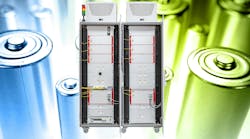
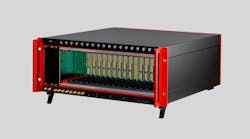
Ethernet-Based Cube and RACKtangle Chassis
Output Glitch Energy
As the output switches from one level to the
next, a glitch is created. Basically, the glitch is an overshoot
that subsequently disappears via dampened oscillation.
In DC applications, the glitch is seldom
problematic. But if you are looking to create a waveform with
the D/A output, the glitch can be a major issue because it may
generate substantial noise. Most D/A devices are designed to
minimize glitch, and it is possible to virtually eliminate it in
the D/A system. But that also virtually guarantees that the
output slew rate will be diminished.
Digital Inputs
Specifying the appropriate digital input for
a system often is pretty straightforward, but there are a number
of issues that must be considered. It is surprising how many
people take the DIO part of their system for granted only to be
later pressed into panic mode when they realize the DIO
specified is not the right match for the application.
Input Type
Digital inputs are available in a wide
variety of configurations. Some monitor voltage; some are
current activated. Some accommodate DC signals while others can
sense AC and DC signals. Still other inputs indicate the status
of an electrical contact such as opened or closed. Be sure to
identify and categorize all of the digital inputs required by
your system early on. It is surprising how many people specify
and buy a DAQ system with a cavalier it's-only-digital-I/O
attitude only to be bitten later.
Input Impedance
Input impedance, or input drive required, is
an often forgotten and problematic specification. Some inputs,
such as most opto-coupler inputs, frequently require a
substantial drive current. Many outputs are only capable of
supplying a very small output drive. Be careful that each of
your inputs will be provided with an appropriate drive
capability.
Input Range
Don't try to monitor your 24 VAC signal with
a logic level input. You won't like the results although your
DAQ vendor might because you will almost certainly be facing a
repair or replacement charge.
Sample or Update Rate
Like every other element of a DAQ system,
timing often is a critical component. Be sure your input system
is fast enough to respond to signals provided within the timing
required by your system.
Special Considerations
Another thing to consider is hysteresis.
Basically, hysteresis is a dead zone in the switching behavior
where a low-to-high transition occurs at a higher voltage than a
high-to-low transition. This hysterisis zone reduces the input's
susceptibility to noise.
One more common capability is input
debouncing. When the actual contact in a switch or relay closes,
it typically will bounce up and down one or more times before it
finally settles into a fully closed position. The bounce cycle
often is as long as 100 ms.
A debounce circuit slows the response of the
digital input so it only appears as closed once the contact has
stabilized. The chatter is sometimes only a minor inconvenience
in a static digital input but can create large errors in
applications where the digital input drives a counter.
Additional diagnostic capability also is
provided on some inputs. The price of A/D converters has
decreased to the point where some manufacturers are monitoring
their digital inputs in the analog world.
A/D-based boards like UEI's DNA-DIO-448
provide the same digital information as a standard board but
also offer a diagnostic voltage measurement mode. In the
diagnostic mode, the actual digital input voltage is read. This
information is extremely useful in identifying broken wires,
short circuits, and damaged output devices.
Digital Outputs
Digital outputs require the same scrutiny and
many of the same considerations as digital inputs. These include
careful consideration of output voltage range, maximum update
rate, and maximum drive current required. However, the outputs
also present a number of specific considerations:
Relay vs. Semiconductor Outputs
Relays have very high off impedance, very low
off leakage, very low on resistance, ambivalence between AC and
DC signals, and built-in isolation. However, they are mechanical
devices and, as a result, provide lower reliability and
typically slower response rates.
Semiconductor outputs typically have an
advantage in speed and reliability. Semiconductor switches tend
to be smaller than their mechanical equivalents so a
semiconductor-based digital output device typically will provide
more outputs per unit volume.
When using DC semiconductor devices, be sure
to consider whether your system requires the output to sink or
source current.
Current Limiting/Fusing
Most outputs, particularly those used to
switch high currents of >100 mA, offer some sort of output
protection. There are three types most commonly available:
• Simple FuseFuses are inexpensive and
reliable but cannot be reset and must be replaced once blown.
• Resettable FuseTypically, this device is a
variable resistor. Once the current reaches a certain threshold,
resistance begins to rise quickly, ultimately limiting the
current and shutting off the output. When the offending
connection is removed, the resettable fuse reverts to its
original low-impedance state.
• Current MonitorAn actual current monitor
that turns the output off if an overcurrent is detected does not
require replacement following the event. Many implementations of
the controller configuration also allow the overcurrent trip level to be set on
a channel-by-channel basis, even within a single output board.
Output Confirmation/Read-Back
For critical controls, it often is desirable
or even required to read back the status of a digital output.
This can be done by connecting a digital input to the output and
monitoring it, but that doubles the number of DIO channels required.
Many digital output devices provide a way to
automatically read back the state of the output. Be a bit
careful with how the read-back is implemented. In some products,
the read-back simply is the status of the latch or buffer
controlling the output and not of the output itself. This allows
the application to confirm that the correct data has been
written to the device, but it does not confirm that the output
actually has gone into the desired state.
The more secure systems monitor the actual
output voltage or current. UEI's DNA-DIO-432/433 measures both
output voltage and current, confirming the output state. This capability also provides a
diagnostic capability for detecting short/open circuits as
well as other suspect conditions or behavior. Many other vendors
also offer some type of output-confirmation or read-back
capability.
Counter/Timer Functions
Counter/timers are used for functions such as
measuring frequency, pulse width or duration, counting events,
and generating periodic or pulse-width modulation outputs.
Counters typically can be configured as up counters, down
counters, or up-down counters. Up counters are the most commonly
used of the configurations and, as the name implies, simply
start at zero and count up.
Down counters are most commonly used as
timers or alarm generators such as watchdog timers. Typically, a
preset value is loaded into the counter register, and on each
rising or falling edge,
the counter is decremented by one. When the counter reaches
zero, it typically generates an interrupt or reset pulse so the
application knows the specific number of input events that has
been obtained.
Up-down counters are used when the difference
in the number of events between two inputs is important while
the absolute number of events is not. Up-down counters generally
are used in devices such as quadrature encoder inputs or
balancing applications.
Communications
A very common requirement of many data
acquisition and control systems is the capability to communicate
with other intelligent devices. This communication is in
addition to whatever link is used to connect the DAQ system to
the host computer. These additional communications links may be
acquiring data, controlling systems elements, synchronizing
multiple systems, or talking to a person via some type of
human-machine interface.
Serial I/O
Although people have been predicting its
death for about 30 years now, the serial interface is still
alive and kicking. In fact, in most surveys taken even today, it
is the most popular communications interface in DAQ systems.
Since it has been around for so long, the standard is pretty
well developed, and most modern interfaces share very similar
specifications. Things to look for include the serial standard
such as RS-232, RS-422, or RS-485; maximum baud rate; support
for hardware triggering; user-selectable number of data bits and
stop bits; and parity settings.
Isolation, particularly channel-to-channel,
can be important in many applications, especially those
connecting to distant devices or equipment, and the local
grounds may be different by many or even hundreds of volts.
The capability to transmit as well as receive
also is an issue. Some DAQ systems only receive data while some
external devices require a query to be sent over the serial port
before transmitting any data.
In aircraft applications, not only is it
critical to acquire data from various on-board sensors, but also
to correlate that data with what's going on elsewhere in the
aircraft. For example, if an application wishes to test the
stress on a wing spar in flight, it's very important to tie the
stress values to information in the avionics including air
speed, bank angle, angle of attack, and altitude.
CAN-bus
In automotive and truck applications, it
often is necessary to measure a parameter as well as integrate
the data with other automotive parameters. For example, an
application measuring interior noise would likely want to
correlate that data with vehicle speed, engine rpm, and
transmission gear. This information could be easily obtained
from the vehicle's CAN-bus.
Conclusion
When specifying a data acquisition and
control system, it's easy to get so tied up in the analog input
system that other parts of the system are left to afterthought.
However, this attitude is a path to trouble because nobody wants
to implement a system that only does 85% of what's required.
Once you have the A/D specs nailed down, be sure to consider the
other parts of the system. When it comes time to build and
install your system, you'll be glad you did.
About the Author
Bob Judd is director of marketing at United
Electronic Industries. Prior to joining UEI, he was general
manager and vice president of marketing and hardware engineering
at Measurement Computing and previously vice president of
marketing at MetraByte. Mr. Judd, who has been involved in the
PC-based DAQ market for more than 20 years, holds a bachelor's
degree in engineering from Brown University and a master's
degree in management from MIT. United Electronic Industries, 27
Renmar Ave., Walpole, MA 02081, 508-921-4557, e-mail:
bjudd@ueidaq.com